AI-Powered 3D Room Configurator
Chat-based room generation and interactive 3D visualization using React Three Fiber, layout logic, and product configuration workflows.
Visual Proof
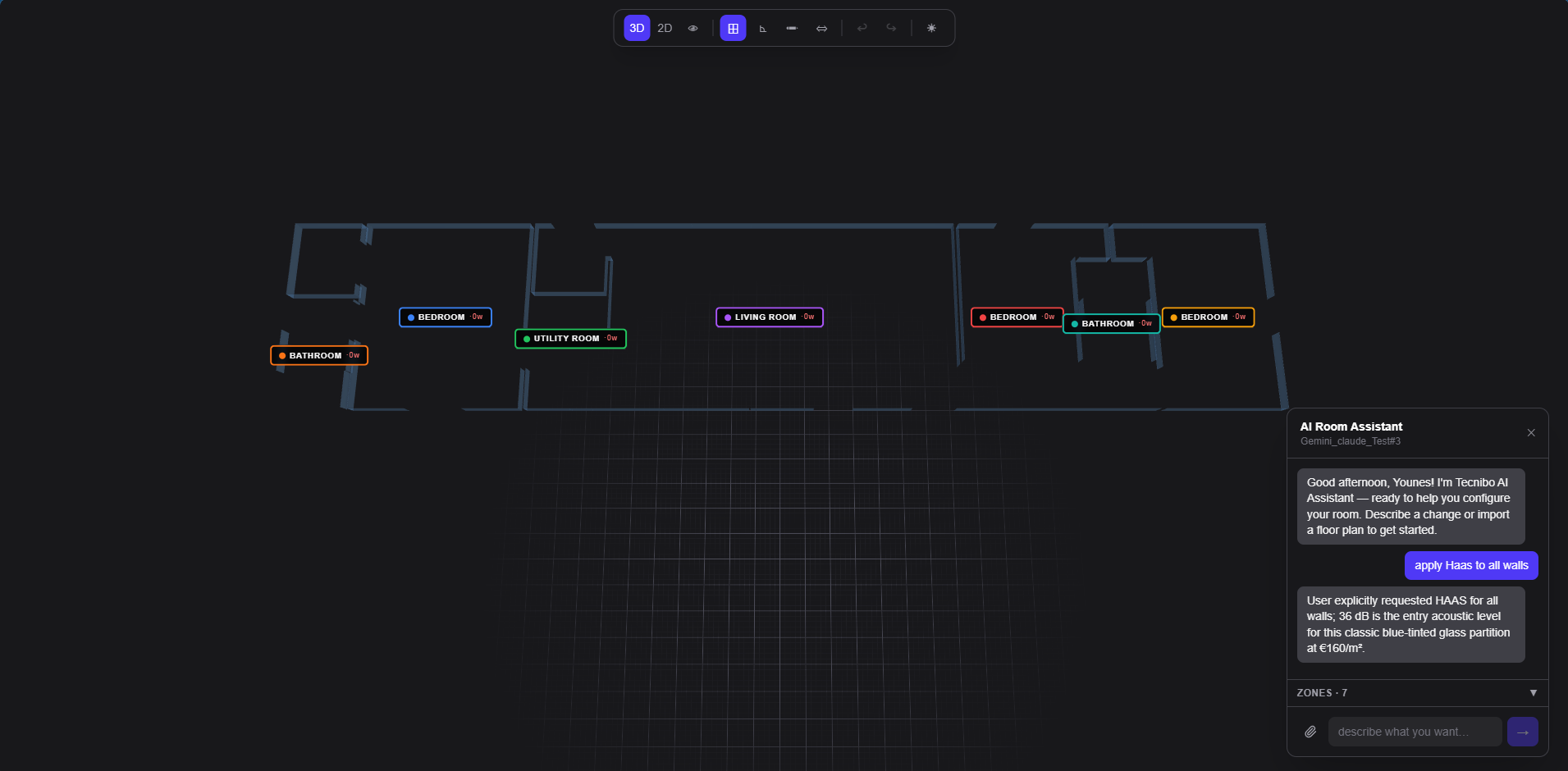
Chat Prompt Interface
The natural language input panel where users describe their room. Shows prompt history and generation state.
Generated 2D Layout
Top-down floor plan view with furniture placement, dimensions, and room boundaries.
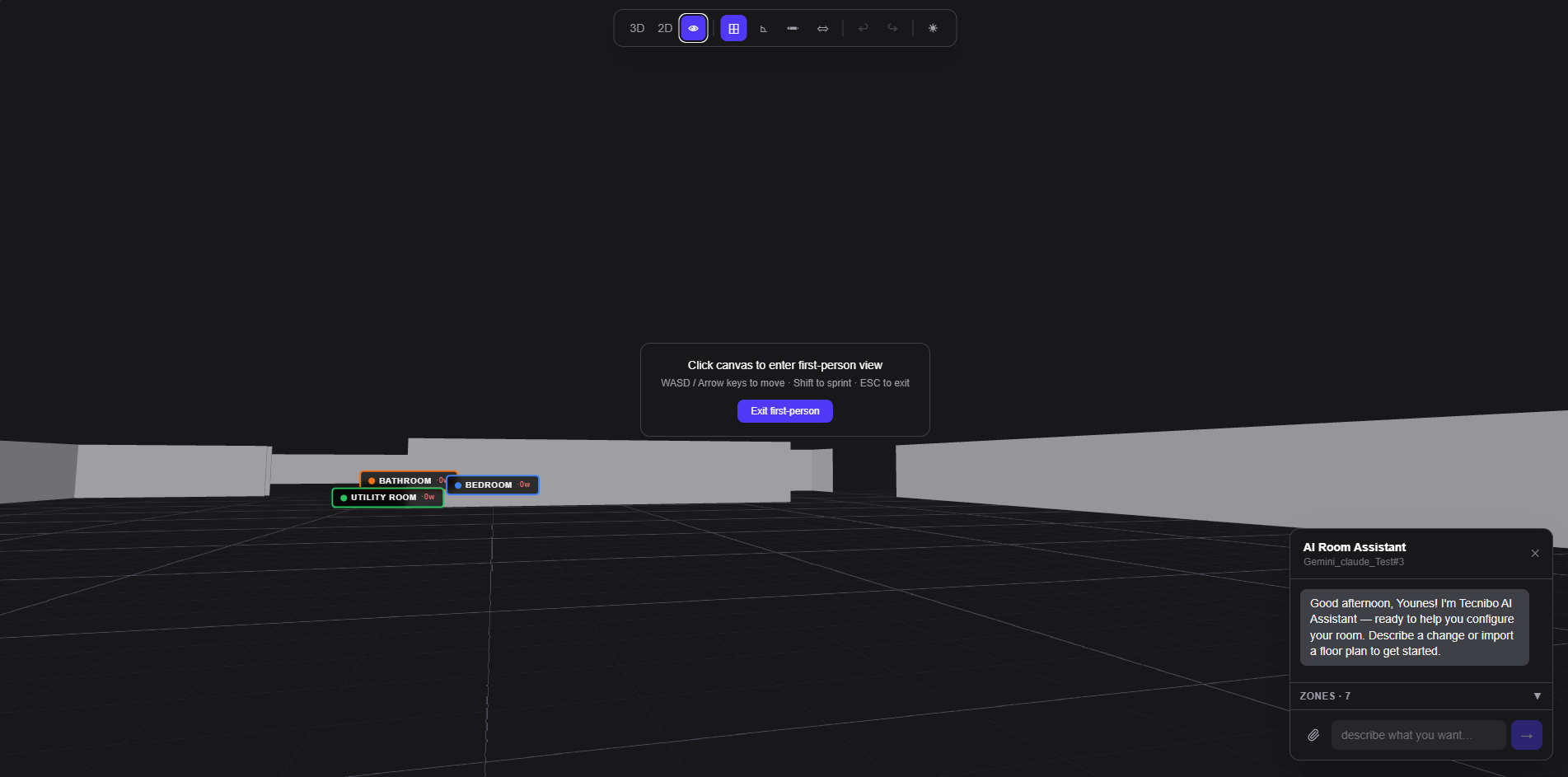
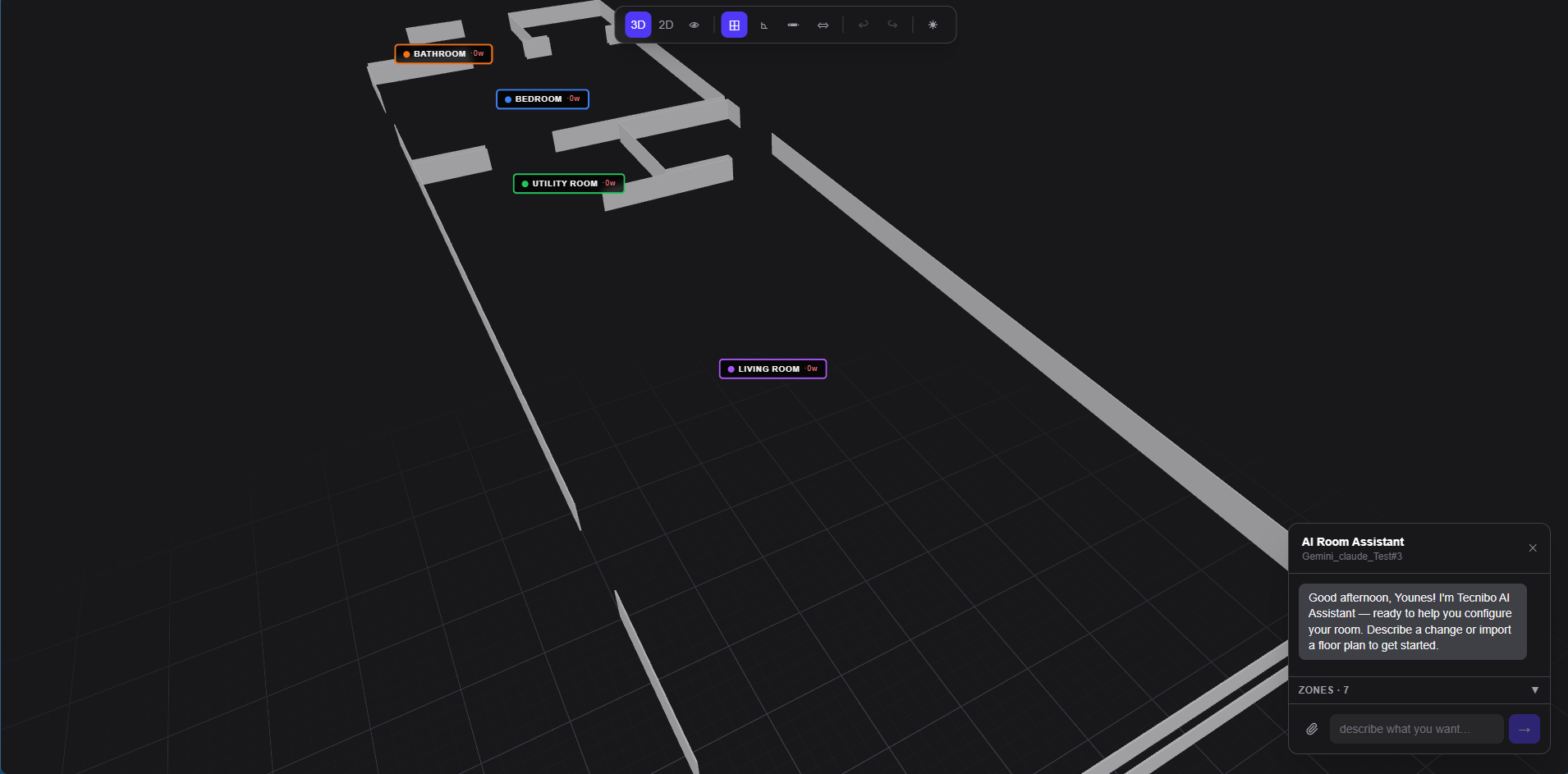
Interactive 3D Scene
The React Three Fiber canvas with orbit controls, selected object highlight, and transform gizmo.
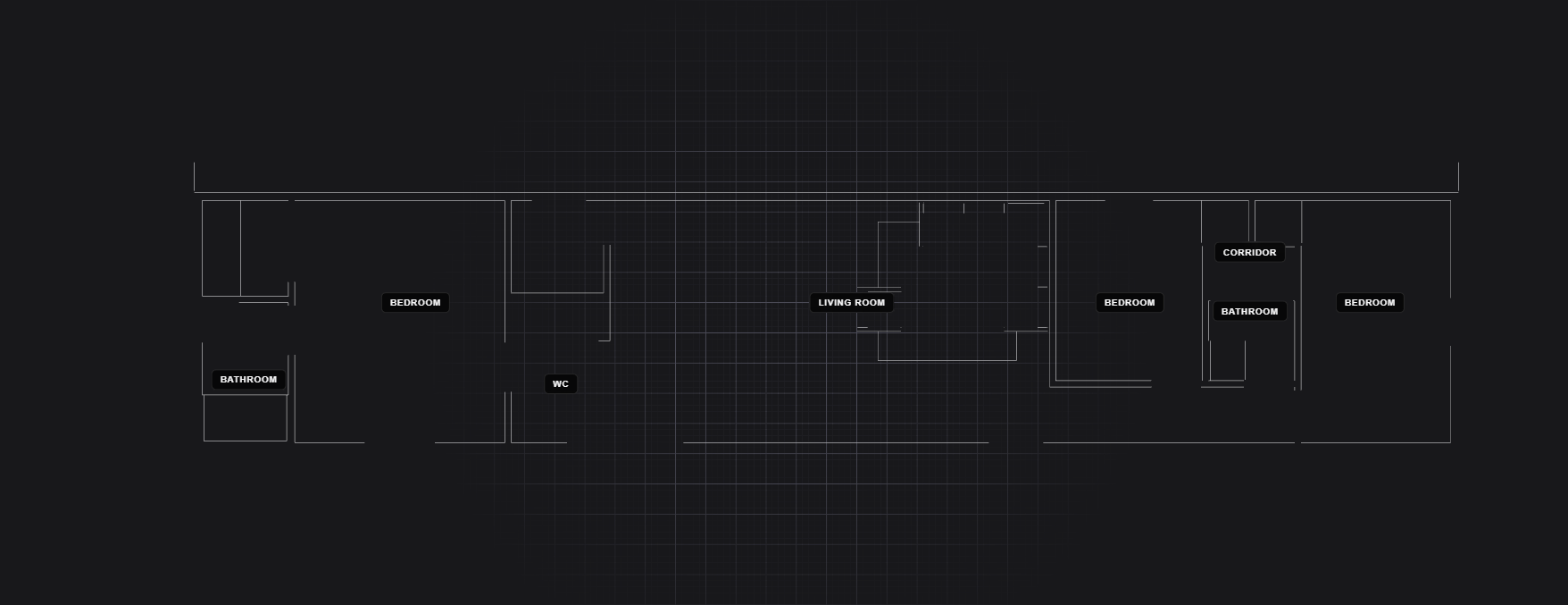
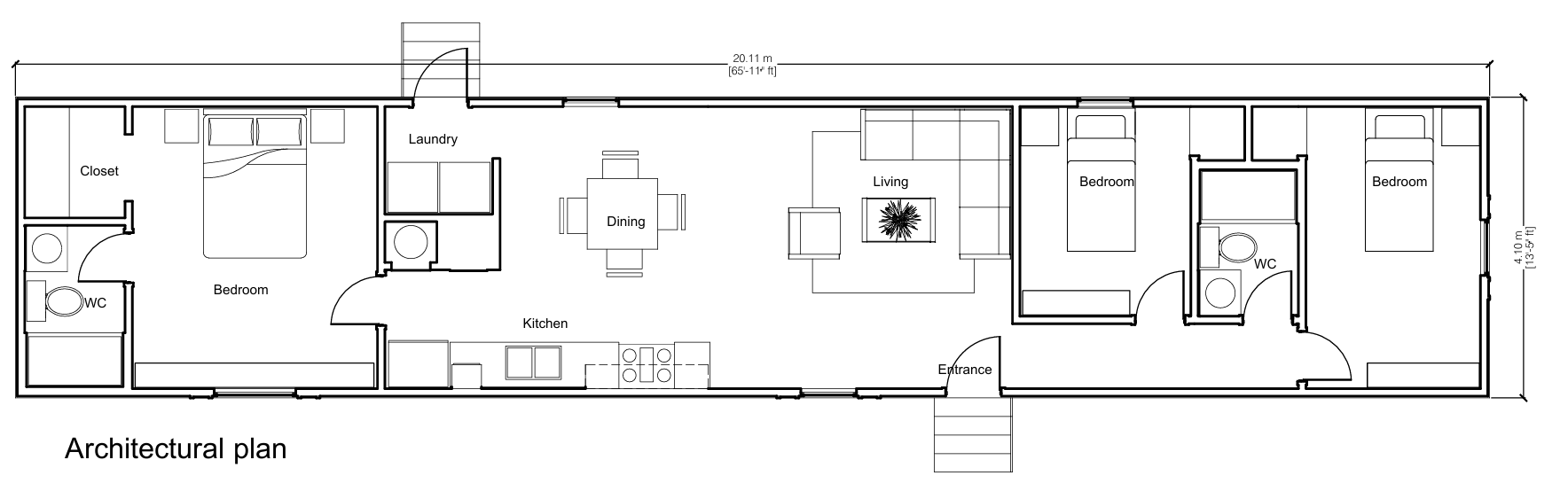
2D Floorplan View
Precise floorplan layout showing room boundaries, furniture positions, and spatial dimensions.
PDF Room Brief Upload
PDF upload interface — users can upload existing room briefs and floor plans for AI processing.
Problem & Solution
The Gap Between Description and Visualization
Interior designers and furniture retailers needed a way to quickly generate room configurations from natural language — without requiring CAD expertise or spending hours in specialized software. The existing workflow was: take measurements, open a 2D CAD tool, manually place furniture, export a static image. No iteration, no 3D preview, no live configuration. The feedback loop between 'what the client wants' and 'what the designer shows' was measured in hours.
- Non-technical users couldn't interact with room planning tools without training
- Going from a natural language description to a 3D layout required hours of manual CAD work
- No product configuration logic was embedded in the planning flow — furniture was placed as generic boxes
- Scene data was not structured for backend persistence or production/ordering workflows
- Iterating on a layout required starting over from scratch
Chat-Driven 3D Scene with Structured Data Output
An AI-powered room configurator where users describe a room in natural language and instantly get an interactive 3D scene. The system uses a structured LLM pipeline to convert intent into geometry, renders it in React Three Fiber, and lets users reconfigure each element. All scene state is normalized and backend-ready.
- Natural language prompt → structured JSON room data via Gemini API
- Interactive React Three Fiber scene: orbit, select, move, resize, configure
- Rule-based product placement logic preventing invalid configurations
- Redux Toolkit as the single source of truth for scene state, selection, and configuration
- Full scene serialization to structured JSON for backend persistence and ordering workflows
- Real-time configuration panel: variants, dimensions, materials per selected object
Architecture
The system is split into four layers: a Next.js frontend hosting the R3F scene and Redux state, an AI processing layer through the NestJS API, a PostgreSQL persistence layer, and an external Gemini integration. The key architectural decision was keeping the R3F canvas as a purely derived view — the scene is always a projection of Redux state, never the source of truth.
- 1
User sends natural language room description via chat input
- 2
Frontend POSTs to NestJS, which calls Gemini with a strict JSON system prompt
- 3
Gemini returns structured room data: dimensions, furniture list, placement coordinates
- 4
Zod validates the response schema — malformed output is rejected and retried
- 5
Scene parser converts validated JSON into R3F-compatible scene objects
- 6
Redux dispatches SET_SCENE action — R3F canvas re-renders from new state
- 7
User interactions (drag, resize, select) dispatch granular Redux actions
- 8
Save action serializes Redux state to structured JSON, persisted via NestJS to PostgreSQL
Technical Challenges
Translating Natural Language into Structured Room Geometry
Why it was hard
LLMs produce text. A 3D scene needs typed coordinates, dimensions, object IDs, and placement rules. Getting a model to reliably output a strict JSON schema across varied room descriptions — without hallucinating invalid values or skipping required fields — is not a prompt engineering problem you solve once and forget.
How I solved it
Designed a strict JSON schema for the room response (validated with Zod). The system prompt includes the schema, 3 worked examples, and explicit constraints. Failed validations trigger an automatic retry with the validation error appended to the prompt. Persistent failures surface a graceful error state to the user rather than a broken scene.
Result
Reliable room generation from natural language, with deterministic fallback behavior on edge cases.
Keeping R3F Scene State and Redux in Sync
Why it was hard
React Three Fiber manages its own fiber reconciler tree. If the 3D canvas owns its own state (position, rotation, scale via useRef), and Redux owns application state, they diverge the moment the user interacts with the scene. Undo/redo, serialization, and configuration panels all break.
How I solved it
R3F canvas is a pure view: it reads from Redux and dispatches actions back. Transform controls write to temporary local state during drag, then commit to Redux on drag-end (debounced). Scene objects are keyed by ID — R3F components derive position/rotation/scale from the Redux slice via memoized selectors.
Result
Single source of truth. Undo/redo, save, and configuration panel all work correctly against the same Redux state.
Product Placement Logic and Constraint Validation
Why it was hard
Furniture has placement rules: a sofa can't overlap a wall, chairs should be within usable distance from a table, doors need clearance. Enforcing these rules in 3D without making the UI feel restrictive required a constraint system that guides rather than blocks.
How I solved it
Grid-based placement snapping with a rule engine layer. Rules are evaluated on every drag-end action: if a placement violates a rule, the object snaps to the nearest valid position and the UI shows a warning chip. Critical violations (overlap with walls) are blocked; advisory violations (distance from related items) show guidance without preventing placement.
Result
Guided placement that catches the most common configuration errors without making the interaction feel restrictive.
WebGL Performance with Multiple Furniture Models
Why it was hard
3D furniture models can be heavy. A room with 15+ objects, each with geometry and textures, can drop frame rate on mid-range hardware. R3F renders on every state change by default — naively implemented, a Redux dispatch per mouse-move would destroy performance.
How I solved it
Instanced geometry for repeated objects (multiple identical chairs use one draw call). Texture atlases for material variants. Transform drag operations update a local useRef — not Redux — during the drag, committing only on drag-end. R3F canvas wrapped in React.memo with a custom equality check on scene object IDs.
Result
Smooth interaction at 60fps on mid-range hardware across scenes with 15+ objects.
Key Engineering Decisions
Redux Toolkit over Zustand for scene state
Why
The scene has multiple interacting slices: selected objects, transform mode, configuration panel, layout bounds, undo history. RTK's normalized state and memoized selectors handle cross-slice reads cleanly. The Redux DevTools time-travel debugger was essential during development of the undo/redo system.
Alternative considered
Zustand is simpler and would work for smaller state. At the complexity of a full scene with undo history and cross-slice dependencies, RTK's structure paid off in maintainability.
React Three Fiber over Babylon.js or Three.js directly
Why
R3F integrates cleanly with the React component model — scene objects are components, state is managed via React. The Drei ecosystem (OrbitControls, TransformControls, useTexture, etc.) eliminated significant boilerplate. Babylon.js has more built-in tooling but requires learning a separate paradigm on top of React.
Alternative considered
Babylon.js would be appropriate for a game engine. For a product configurator embedded in a Next.js app, R3F's React integration is the right tradeoff.
Zod for LLM response validation
Why
The most dangerous failure mode is a partial or malformed scene being rendered — corrupt positions, missing IDs, wrong types. Zod parses the AI response at runtime, providing structured error messages that can be fed back into the prompt for self-correction.
Alternative considered
Manual validation would work but wouldn't give structured error messages suitable for prompt-level retry logic.
Impact
Reduced planning time from hours to seconds
The gap between 'client describes a room' and 'designer shows a configured 3D layout' collapsed from hours of manual CAD work to a prompt and a scene.
Non-technical users can configure products
The chat-driven flow removed the CAD expertise requirement entirely. Anyone who can describe a room can interact with the configurator.
Backend-ready structured output
Scene state serializes to a structured JSON format that maps directly to product SKUs, dimensions, and placement data — usable for ordering and production workflows.
Extensible product rule engine
The placement and configuration rule system is data-driven, not hardcoded. New product lines with different rules can be added without changing the scene engine.
What I Would Improve Next
These aren't speculative features — they're the gaps I identified while building and operating the system.
Multi-room support with shared product catalog
Current implementation handles single rooms. Multi-room layouts with shared walls and connected spaces would require a scene graph above the room level.
Collaborative editing via WebSocket room sync
Multiple users editing the same scene simultaneously, with conflict resolution for concurrent transform operations.
AR preview on mobile
WebXR API integration to place the generated room layout in a real physical space via mobile camera.
Performance budget enforcement
Automated polygon count and texture memory budgets per scene, with warnings before the user adds objects that would impact frame rate on low-end devices.
Photorealistic rendering pass
HDRI lighting and physically-based materials for a final render export, separate from the interactive real-time scene.
Interested?
Let's talk about what I can build for you.
Open to senior full-stack roles, founding engineer positions, and contract engagements. Remote only.